
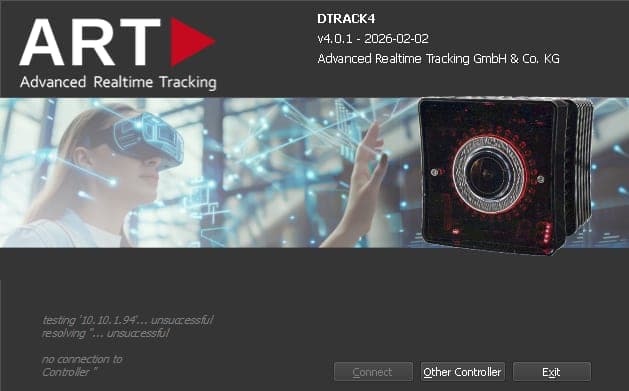
DTRACK4 — optical tracking software
Optical tracking software for multi-camera optical motion tracking: calibration, camera control, and real-time 6DOF output in DTRACK4.
DTRACK4 is ART's current optical tracking software for optical motion tracking on Windows — without a dedicated ART Controller. It combines proven workflows with a modern 3D monitor, flexible configurations, and direct integration into your applications.
Whether you run a multi-camera hall, a VR CAVE, or a compact engineering station: DTRACK4 is built so that setup, day-to-day operation, and application integration stay manageable — not only for the initial commissioning. Manual deep links below open the relevant PDF pages in a new tab when you need the full procedure.
System requirements
A standard Windows PC with two Gigabit ports is enough to host the tracking backend. That keeps infrastructure lean compared with a dedicated ART Controller.
- Windows 10 or 11 on your tracking PC (Installation Guide, p. 26)
- 2× Gigabit Ethernet — two 1 Gbit ports (User's Guide, p. 30)
- Jumbo frames up to 9 KB on the network adapter (User's Guide, p. 30)
Cameras & tracking hardware
DTRACK4 scales with your volume: from a few cameras to large multi-camera systems without a software cap on cameras or s. Current ART cameras are fully supported; older generations stay on the DTRACK3 line where that is the right fit.
Supported
- AT7-50, ARTTRACK6/M, and AT7-80 tracking cameras (Installation Guide, p. 24)
- ARTTRACK5(/C) systems when at least one supported camera (ARTTRACK6/M, AT7-50, or AT7-80) is part of the setup
- No software limit on the number of cameras in one system (User's Guide, p. 71)
- No software limit on the number of s in one system
- Synchronization between cameras for a common capture time (User's Guide, p. 81)
Not supported
- ARTTRACK1/2/3, TRACKPACK(/E), Firewire cameras, and legacy ART Controllers (SyncCard3)
- Standalone SMARTTRACK/3/M — still supported in the DTRACK3 software line
- Inertial sensors (YEI, Trivisio, and similar)
Details on licensing and migration from older systems are on the licensing page.
Calibration & tracking volume
Reliable is what keeps room coordinates stable over days and weeks — especially when real and virtual content must stay aligned. DTRACK4 gives you room calibration, fine adjustment in the 3D monitor, and camera tools that keep large volumes usable under changing lighting and mounting conditions.
Room & coordinate systems
defines the shared coordinate system within the .
- Room calibration with angle tools of different sizes
- Multiple coordinate systems per configuration
- Room adjustment in the 3D monitor — refine the coordinate system after calibration
- Transfer a room calibration to another configuration
- Practice: When tracking quality drops, start with room calibration or recalibration — not automatically a new body calibration. Guide: room vs. body calibration
Camera setup
Sync groups, exclusion zones, and exposure control help when cameras face each other, sunlight hits a sensor, or you need a higher frame rate in part of the volume.
- Up to three sync groups — cameras in different groups do not interfere with each other (guide: Sync Groups)
- Exclusion zones per camera — for example to mask sun reflections
- Camera modes for a higher maximum frame rate with a reduced vertical field of view
- Automatic exposure control across all cameras (exposure time and flash length optimized together)
- Manual exposure settings per camera when needed
Bodies, markers & targets
Standard ART targets come from the built-in library and typically need no separate body calibration — you get a working body faster and with fewer setup errors. Custom geometries and coordinate-system adjustments remain available when the application demands it.
- Body administration with the integrated ART target library — standard ART targets do not need separate calibration (Target Library, p. 100); practical tips: Target calibration in DTRACK
- Adjust the body coordinate system in the administration tool or in the 3D monitor (Programmer's Guide, p. 10)
- 3D marker calculation can be enabled or disabled as required
- Retroreflection: How passive spherical markers send IR light back to the camera — blog article
Interaction devices
Flystick, finger tracking, measurement tools, and active targets plug into the same DTRACK4 workflow — so interaction and metrology stay in one coordinate system with your tracked objects.
- Flystick2+ with integrated radio link (Programmer's Guide, p. 17)
- Finger tracking 2 including tactile variant (radio link) (Tactile control, p. 134)
- Measurement Tool with COOTRANS — align the ART coordinate system to an external reference and measure points with export (reference points, p. 95)
- Active targets such as AMC6 via modulated flash synchronization (Installation Guide, p. 60)
Configurations & day-to-day operation
One PC can hold several saved setups — for example CAVE vs. metrology, or different target sets — and switch without rebuilding the system. Password protection and camera display brightness support shared rooms and dark environments.
- Multiple configurations on one system — for example different applications, target sets, or coordinate systems
- Password protection for saved configurations
- Display brightness on cameras adjustable — status LEDs, rings, and 7-segment displays, down to full deactivation for dark environments
Data output & integration
Tracking data reaches your applications in real time via ART's UDP stream. Multicast and multiple channels let several consumers run in parallel — for example a visualization engine and a logging tool — without serial bottlenecks.
- 6DOF tracking data via ART's UDP data stream
- Multicast and multiple output channels for parallel consumers (Programmer's Guide, p. 21)
- Direct use in Autodesk VRED, Unity, and Unreal Engine, or custom applications via the C++ and Java SDK (interfaces overview, p. 155)
See the interfaces section for plugins, SDK downloads, and connectivity documentation. For online quality monitoring with covariance output, see 6DOF covariances in DTRACK.
Documentation & quick guides
- DTRACK4 multi-camera quick guide
- Installation guide
- User's guide
- Programmer's guide
- All manuals and quick guides in the resources section
Deployment options
Run the tracking backend as a Windows service on a dedicated PC and operate the GUI elsewhere — useful when the tracking room and the operator desk are separate.
- Separate backend and frontend — the tracking backend can run headless as a Windows service on a dedicated PC while operators use the GUI on another machine (Backend Service PC, p. 155)